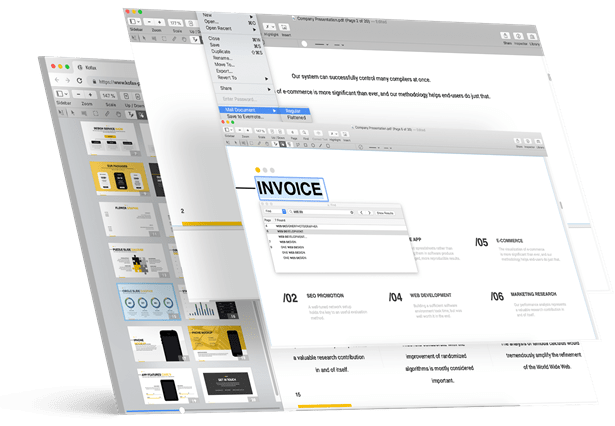
360° Agile PDF Editor
Within a few clicks, create, edit, or convert PDF files
Akarsh – Fueled Kofax Power PDF Standard and Advanced
About us
Akarsh Digitals Pvt. Ltd.
IT distribution business in India has gone through colossal change in the recent times and are turning out to be increasingly structured across from being generally disarranged and juvenile before. Distributors and Value-added distributors (VADs) are a vital piece of the general development methodology of each corporate.
Overview
A PDF Editor that Simplifies Your Burden
Trusted globally, Kofax Power PDF Standard is suitable for office to home usage. Akarsh brings you the Kofax elite PDF editor at a highly affordable price bracket packaged with excellent features and ability.

Winner of Best Feature Set - PDF Editors
Convert any document file to PDF and edit it seamlessly.

Most Loved Technology Product
Convert your PDF to your desired format, including PowerPoint, Excel, Word.

Winner of Best Customer Support - PDF Editors
With an easy-to-use interface, edit and tweak PDF files the way you want to.
here are some cool feature
A Powerful Editor that Got You Covered
-
Simple Usability
Kofax Power PDF is simple to use without prior technical knowledge
-
Click and Create
With a few clicks create PDF from scratch or convert different files into PDF.
-
Convert Seamlessly
Choose your desired format and convert PDF docs to those formats.
-
Creative Editing
Sprinkle your creativity and edit your PDF for desired results.
-
Sign Your PDFs
Sign your PDF documents with utmost security and safety.
NEWS & UPDATES
Also, we have a version for Mac
FAQ's
Power PDF Frequently Asked Questions
1. How do Kofax and Nuance correlate with each other?
Nuance Document Imaging division was acquired by Kofax, and products and services like PaperPort, OmniPage, and Power PDF are now under Kofax.
2. Will Kofax support my Nuance license?
Yes, if you have a valid serial number and other vital information regarding your previous purchase, you’ll be provided Kofax support.
3. Can I get my older saved Nuance Power PDF files back?
If you don’t have backup for the files, you won’t be able to extract them, because Nuance Power PDF license holders are only eligible for technical support services.
4. How to upgrade to Nuance?
You just need to click the buy button on Akarsh’s website, and you’ll get the latest and most advanced Power PDF version from Kofax.
1. I’m facing trouble installing Kofax. What’s the solution?
Ensure that your antivirus is turned off during the downloading and installation of the Kofax PDF editor. If you still face any technical faults our team of experts will assist you with it.
2. Do I get regular updates and upgrades?
No, you need to purchase the product again if a new upgraded version of Kofax is launched. Although, you’ll be eligible to get a decent discount.
3. How many devices can I use my license on?
Kofax Power PDF standard is eligible for one Mac or Windows device. You cannot use multiple devices using a licensed product. You can get in touch with our support team to get a better understanding of the license use.
1. Do you offer a trial period for Kofax?
Yes, we do offer a trial period for Kofax so that you get hands-on experience on the tool before you make a buying decision.
2. Do I require the entire credit or debit card details to avail of the trial?
No, you don’t need to enter the card details to avail of the trial, as you’ll get instant installation and trial access.
3. What’s the refund policy?
We offer a guaranteed 30-day money-back offer. If you feel the product we offer doesn’t match expectations, you’ll get a refund with no questions asked.
4. Do I need to pay a monthly or annual subscription fee?
The Kofax Power PDF license purchase is perpetual, and you don’t need to periodically pay any fees.
1. What’s the support policy you offer?
You get a 90-day warranty for product support starting the day you make the purchase. Our team of experts will address your queries and provide you with tailored solutions.
2. Does Kofax Power PDF work on Mac?
Yes, Kofax supports most Mac devices. You need to purchase the Power PDF Standard for Mac and install it on your Mac devices to enjoy the advanced functionality of the tool. You can also contact the Akarsh team to know more about the Mac devices that Kofax supports.
3. Does Kofax Power PDF work on Windows 10?
Yes, Kofax is compatible with Windows 10. You need to purchase the Power PDF Standard for Windows to kickstart using one of the leading Adobe Acrobat alternatives for better results.
1. Does Akarsh offer enterprise support for the Kofax PDF editor?
Yes, we offer professional support if you face any troubles with the IT product we offer. We have a network of well-trained professionals country-wide to assist you with your troubles.
2. How to add more users to our enterprise-purchased license?
You need to contact our support team to quickly resolve the issue as you don’t have access to add or remove multiple users on your enterprise license purchase.